How-To Guides
Learn about the features of The Notebook
FAQs
Check out the answers to some of the most frequently asked questions
Contact
Need to contact The Goblin about something?
Recent Updates
-
Update 6th February 2026 – Column sharing options
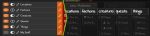
This update sees a change to the way column sharing and visibility works. Previously, changing a column’s visibility would make that change for both you and other users. Column visibility and sharing are now handled separately with a new explicit sharing toggle that controls which columns are shared with other users. When a column is ..
Read more
-
Update 12th December 2025 – Clickable checkboxes
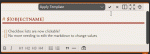
Those markdown checkbox lists that you needed to manually edit the markdown to change… Well now you can just click the..
Read more
-
Update 6th December 2025 – Image pin labels
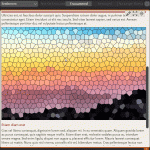
In addition to adding objects to images as pins, you can now add text labels to appear in the same way. Just right-click a pin-enabled image and select Add label to add your custom text. See Add pins to images for full details on image pins, including how to configure the markdown to enable pins ..
Read more